Public Shares
The Audiobookshelf server includes 2 methods of sharing media files directly without requiring a login: a hosted RSS feed and a Public Share. Both of these methods do not track progress on the server.
RSS Feed
Audiobookshelf allows admins to share the following media types in an RSS Feed:
- Books
- Series
- Collections
- Podcasts
Playlists cannot have an associated RSS feed because they are account specific. These RSS feeds allow users to listen to media using any RSS-compatible client. Due to the nature of how RSS works, no progress is tracked for any media listened through a hosted RSS feed on the Audiobookshelf server.
Hosted RSS feeds are not the same as the RSS feeds that are used to automatically download new podcast episodes.
Creating an RSS Feed
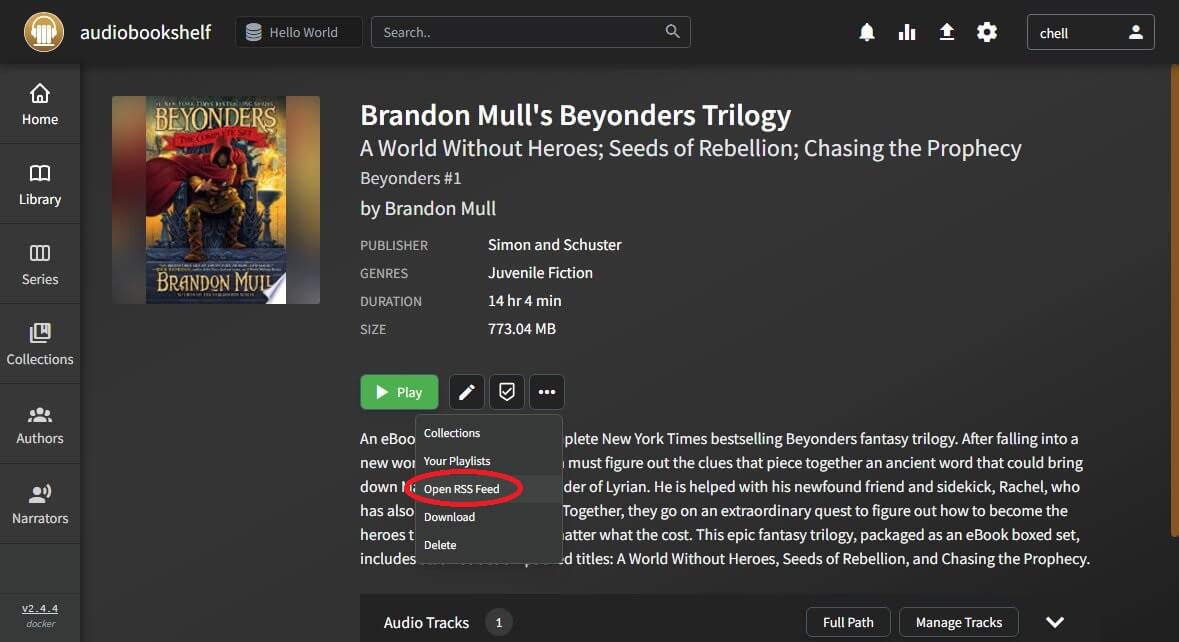
To create an RSS feed, select "Open RSS Feed" in the 3-dot dropdown menu.
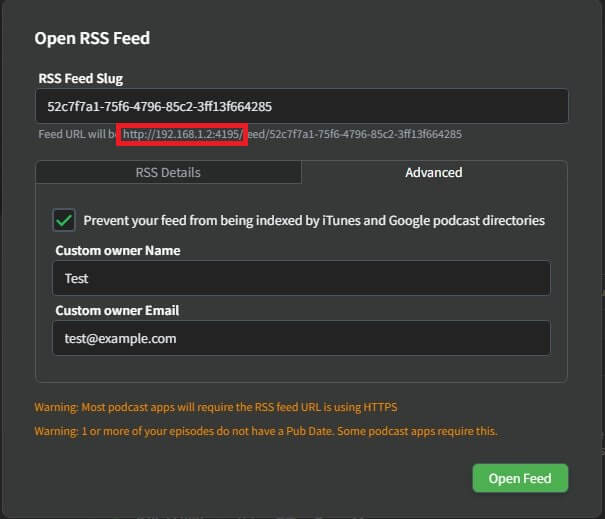
The slug defaults to the library item ID, but this can be customized along with other settings. The displayed URL is created based on how you are currently connecting your ABS server (outlined in red), but the RSS feed will be accessible through any connection method for the server.
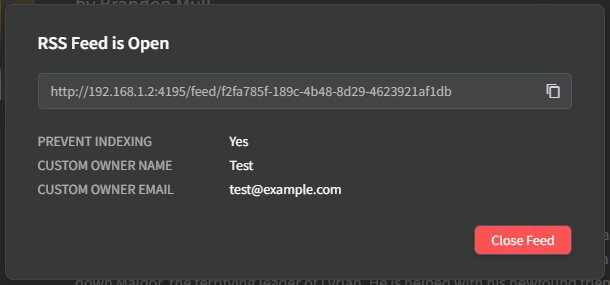
You can copy the link displayed in the confirmation modal. You can click anywhere off of the modal to continue using ABS.
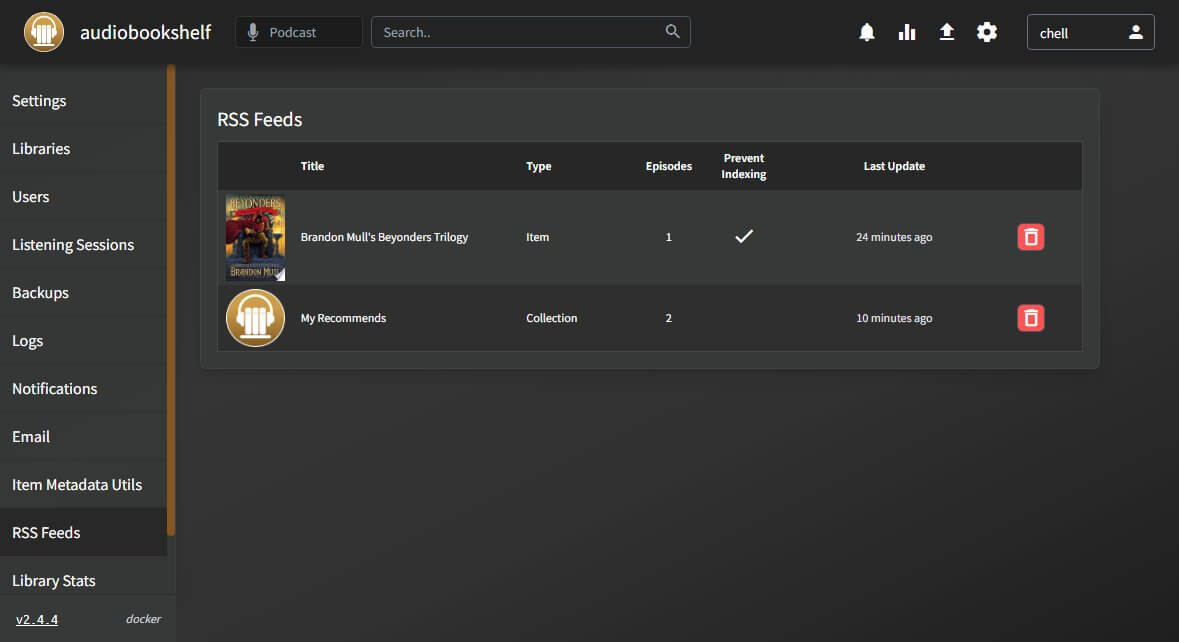
Managing Open RSS Feeds
All hosted RSS feeds are accessible and can be managed from the server settings.
Media Item Shares
Audiobookshelf allows admins to create public shares. Currently, only books can be shared.
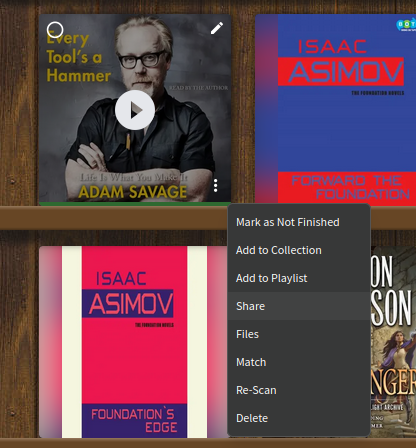
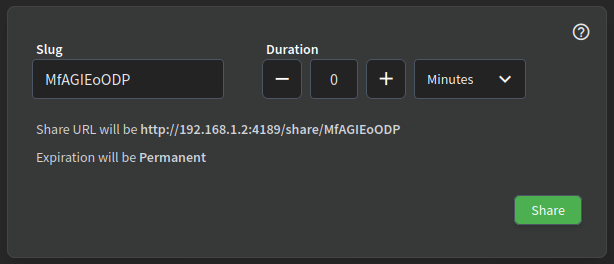
To share a media item, use the "Share" option in the dropdown menu on a cover image or in the media details page. This will open a dialog to allow configuring how long the share will be available.
The URL is displayed based on how you are accessing your ABS server at the time you create the share. For example, if you connect to your server at http://192.168.0.5, then the link will automatically be populated as http://192.168.0.5/share/[slug], but you can manually share the link as https://mycooldomain.com/share/[slug]. To share a specific time stamp in an audio book, you can add ?t=1234 to the end of the URL, where 1234 is the time to start listening in seconds.
Admins can filter based on what library items have a media share open in the main library page using the same filter dropdown as Genres and Tags.
Listening to Public Shares
Anyone with the link and the ability to access the server can access the media item share without authentication. This includes anyone on the internet if your ABS server is accessible to the internet.
Progress is only tracked by the client, the server does not keep track of the listen state. This means whoever is listening cannot resume where they stopped listening on another device. The server does not provide any transcoding for public shares, so clients must support directly playing the file format and codec.