Series Management
Audiobookshelf supports viewing books by series. A book can be part of multiple series to assist with organization, such as in a larger universe like Star Wars or Isaac Asimov's Foundation Universe.
Series Ordering
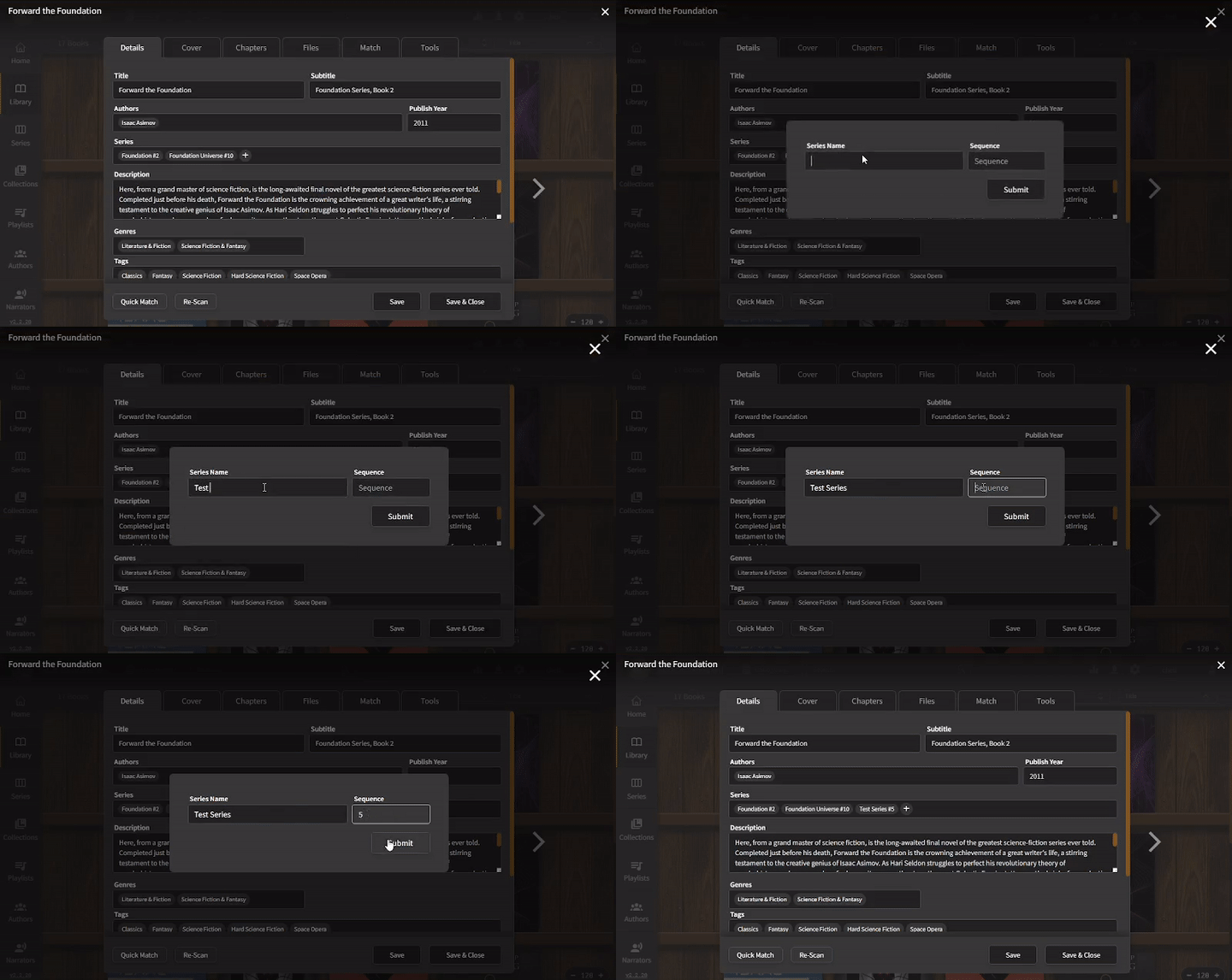
Books in a series are ordered by the series sequence number, then alphabetically for books without a series sequence. The following animation shows how to add a new series with a sequence of "5" to a book. Decimal numbers are supported to insert novellas or short stories in between main books in the series.
Subseries
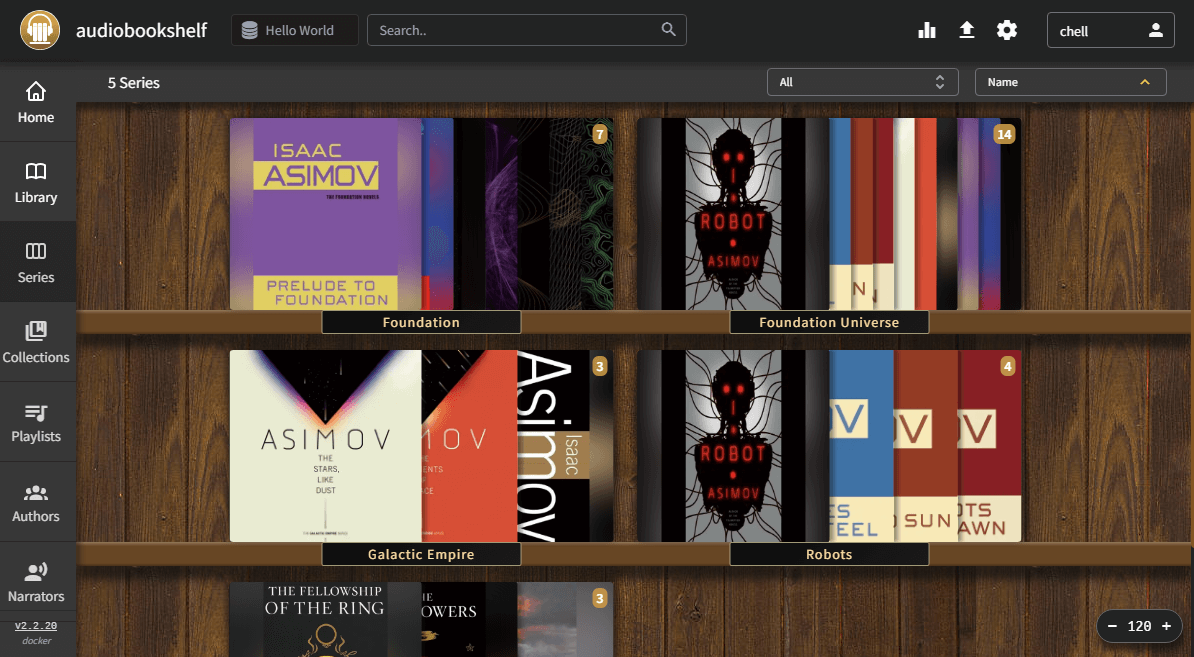
Every series, including subseries, are visible on the Series page of the library, as demonstrated below.
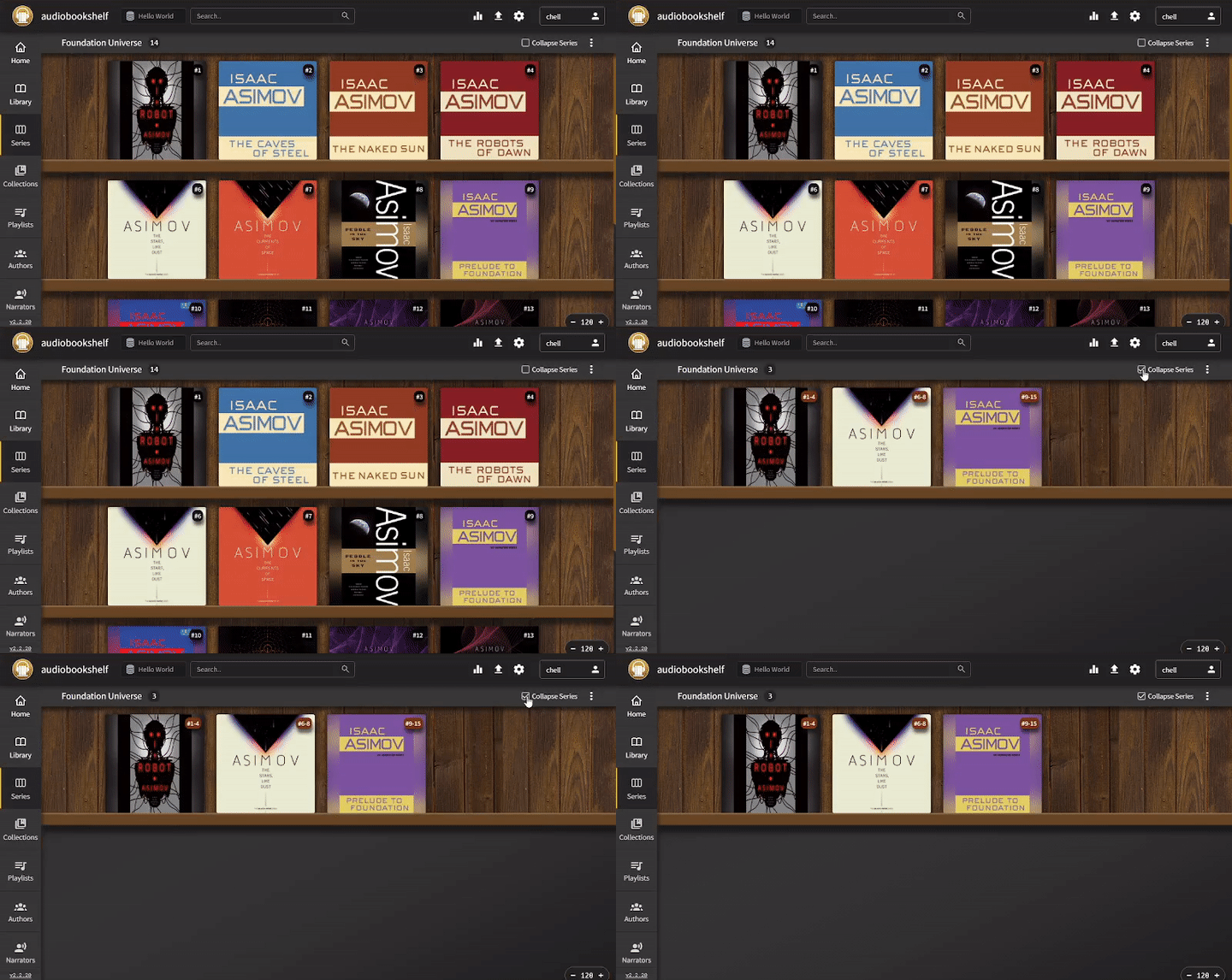
Books in a series can be collapsed into a single entry on the main library page or when viewing a series to show subseries of that series.
Series are automatically removed from the database when no books are in the series. Some older verisons of the server would not clean up empty series correctly. To remove an empty series, add any book to the series, save the book, and then remove the book from the series to trigger the cleanup again.