Uploading
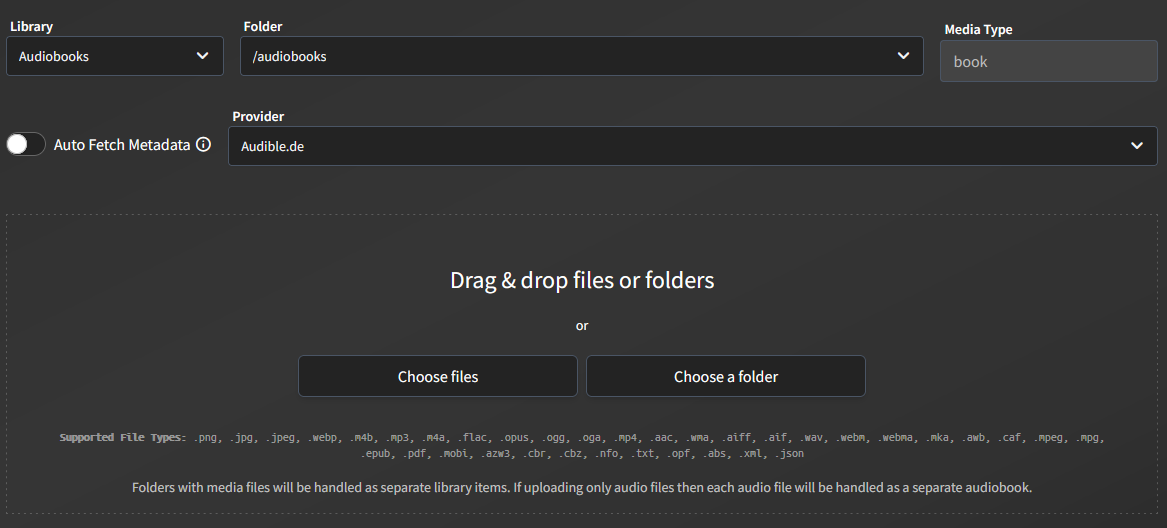
You can use the built-in upload feature to add new books to your library. This makes sure that files follow the correct library structure of one book per folder.
You can choose the library you want to add your books to before uploading. Within a library, you can have multiple folders, and you can select which folder to upload to.
Before uploading, you can check "Auto Fetch Metadata" and choose the provider you want to use to match your books.
Auto Fetch Metadata only fetches metadata for the directory structure, keeping a consistent structure across books by the same author or series. It does not automatically add this metadata to your books. You need to manually trigger a match after adding a book to include missing metadata. Based on your metadata priority, this will only add the series and author.
If you add multiple files, they will be uploaded as separate books. To upload a book with multiple files, you need to upload the entire folder that contains the book files.
Book files (non-audio) will always be grouped into a single book, even if you upload them separately. You need to add them directly to the file system or upload them one by one.