User Management
Audiobookshelf provides the ability to create a user account for each user. Account sharing is not an intended or supported use case, so you may encounter issues if listening to different media at the same time from the same account.
There are four types of accounts for Audiobookshelf:
- Root: The original admin account created for the server. This is the same as an Admin, but Admins cannot edit this account.
- Admin: Able to access and modify server settings
- User: Normal user
- Guest: Same as a User type, but unable to change their own password
Creating a new user
Admins can create new users through the server settings.
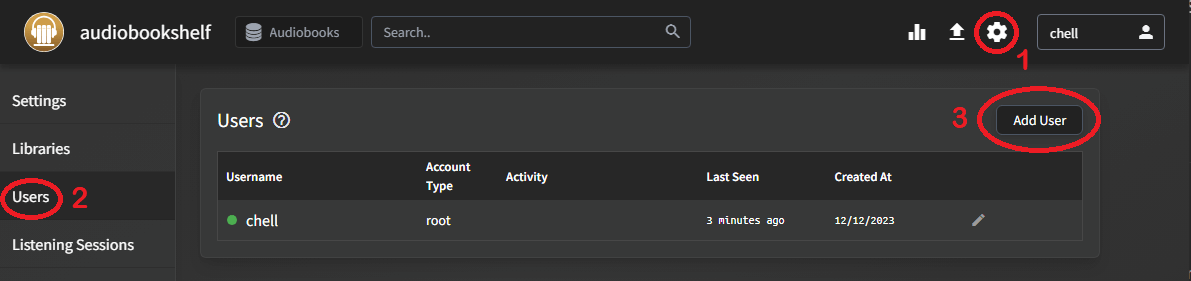
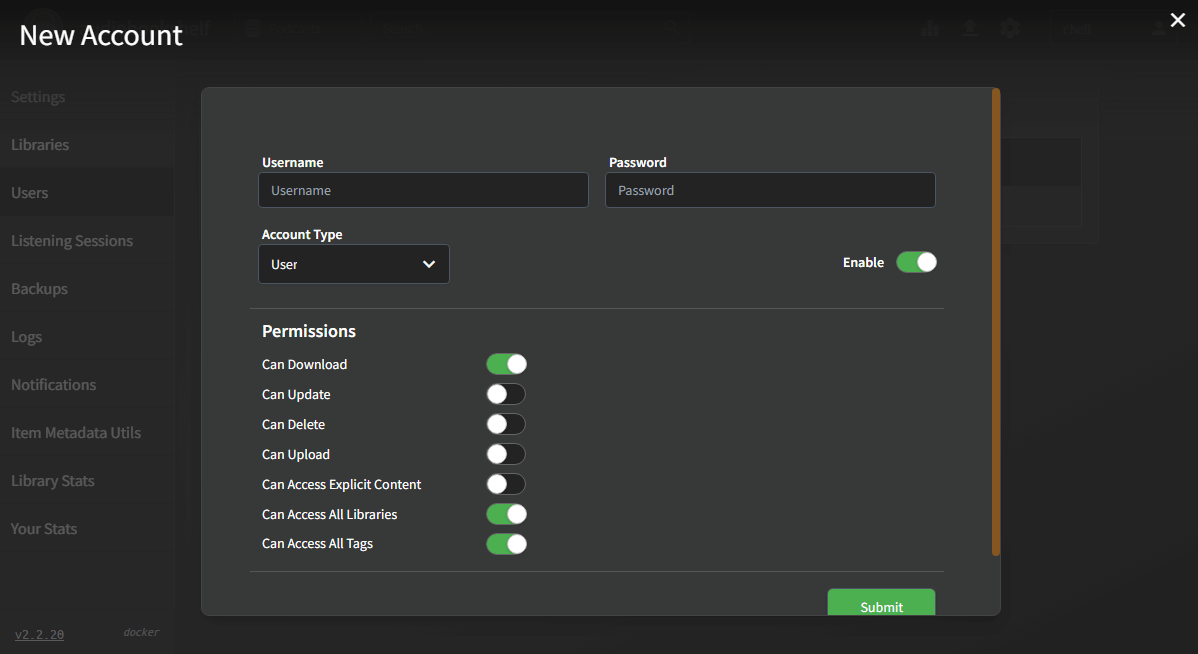
By default, user and guest accounts are given access to all non-explicit content in all libraries. Any permissions given to users apply to all media and libraries the user has access to. By default, admin accounts are given access to all permissions for the server.
Users can also be disabled to retain the user account but prevent authentication to the server.
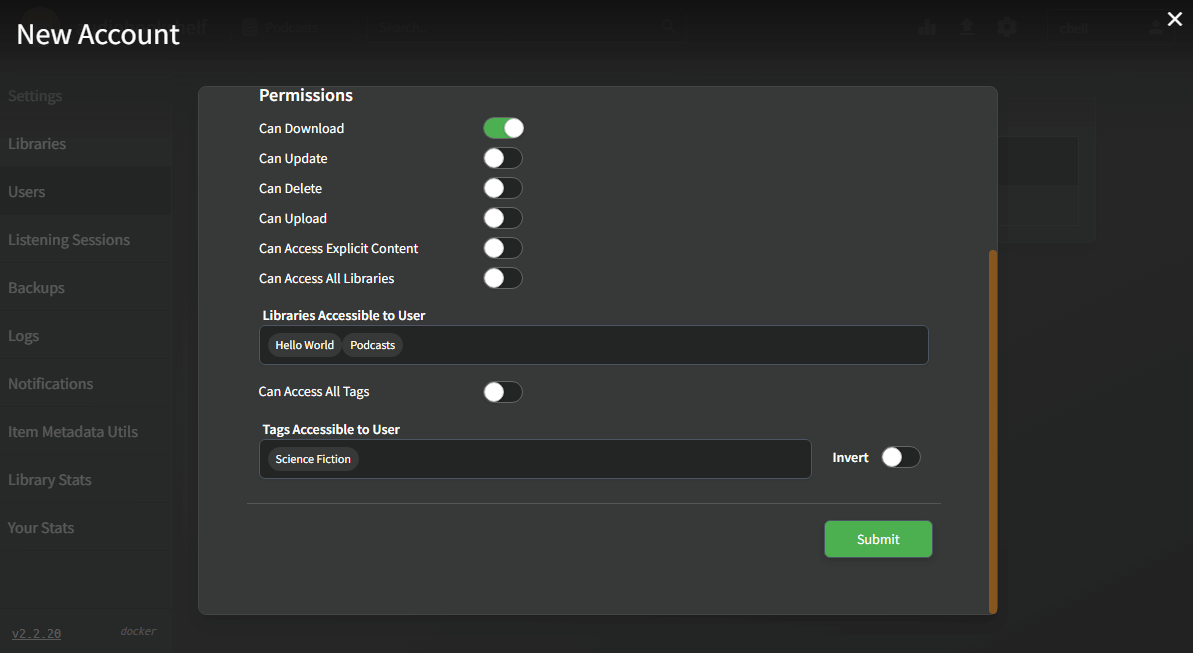
Access Control
User access can be limited by library and tags. When limiting access by tags, users can be given access only to certain tags, or everything except for certain tags. The Invert toggle allows this behavior to switch between Tags Accessible to User and Tags not Accessible to User. Tag access control applies to all libraries a user can access.